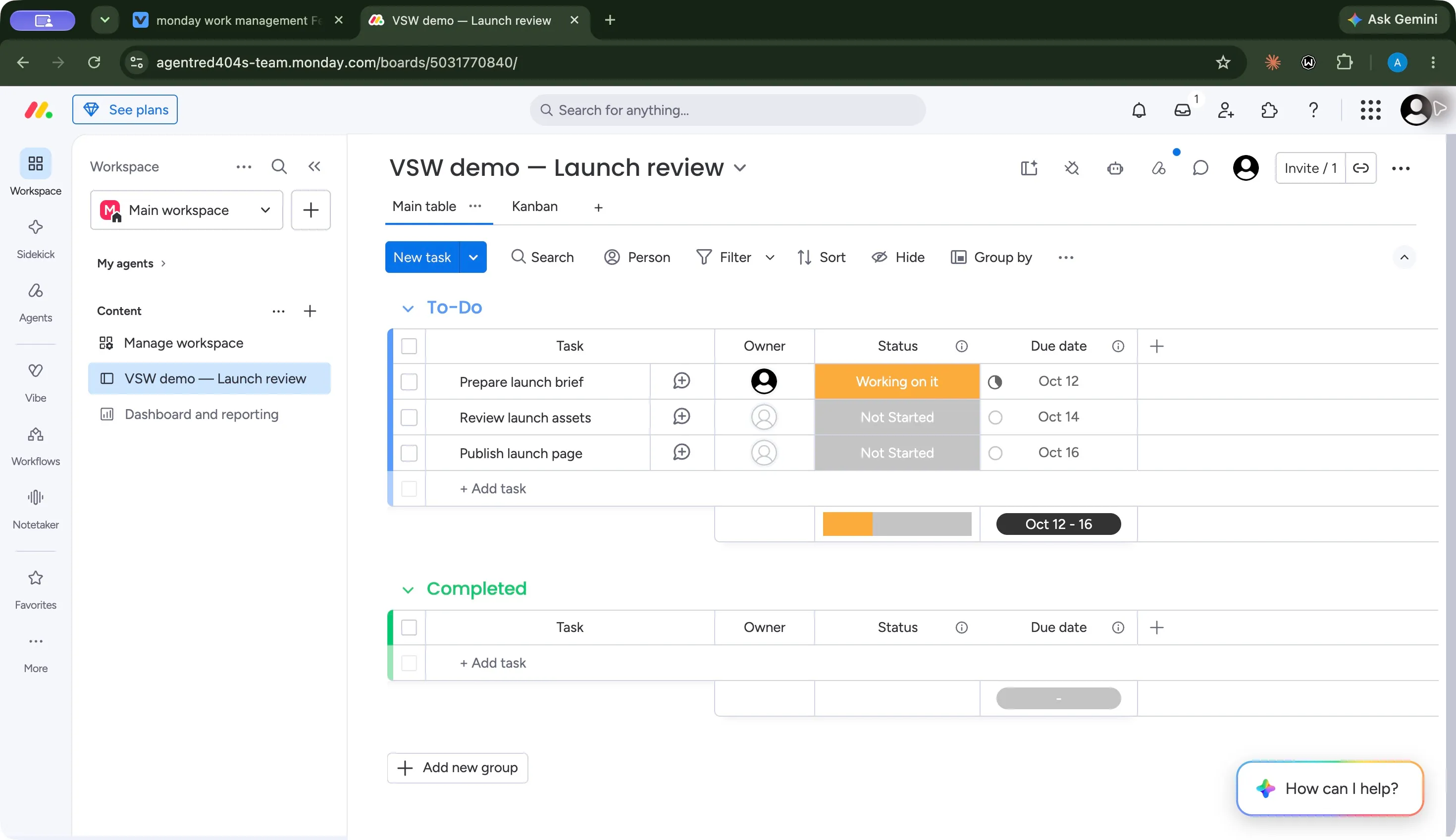
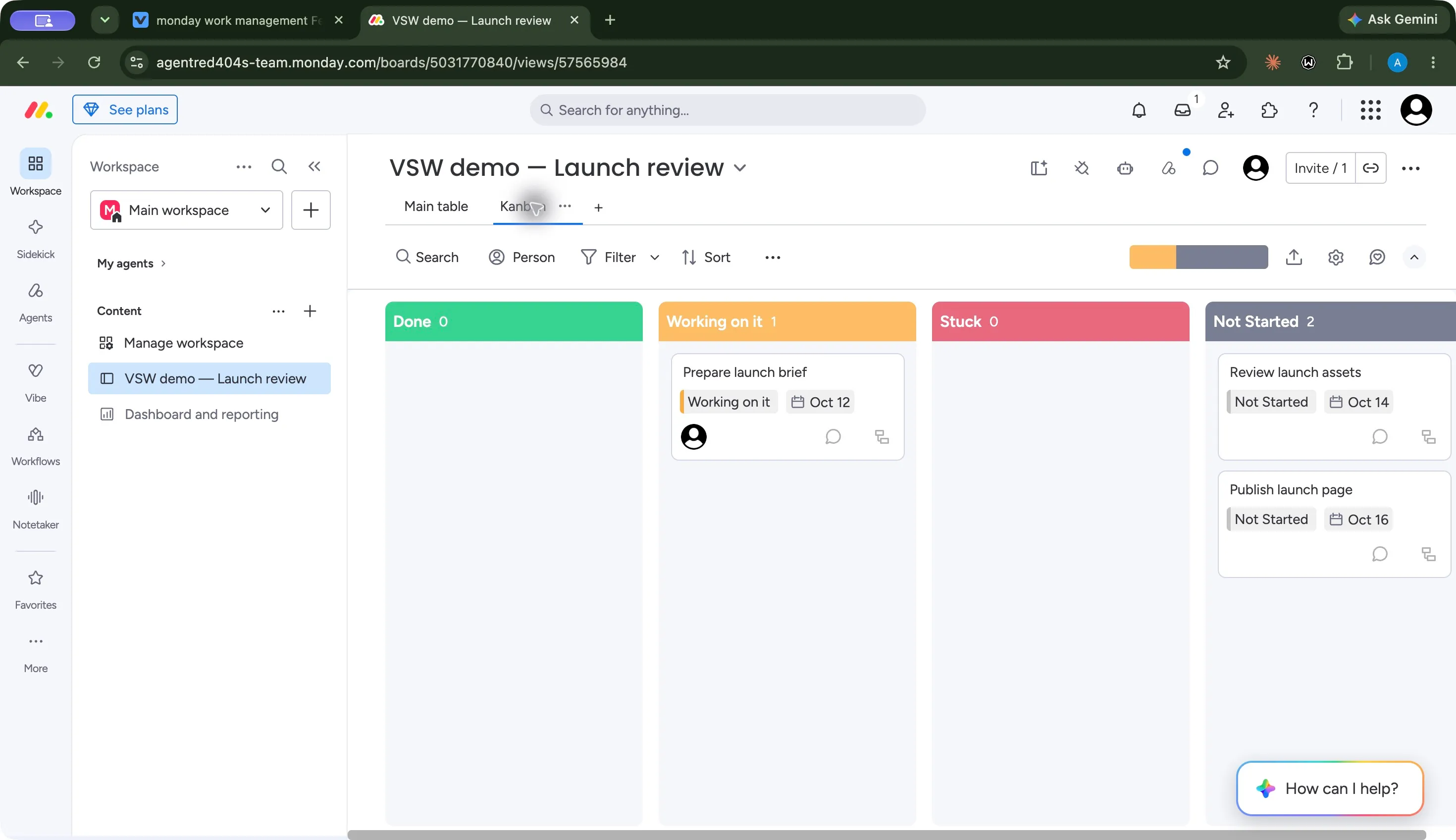
Board · Three saved launch tasks with status and due dates.
1 / 3
What is monday.com — Work Management?
monday work management organizes tasks through configurable boards, views and dashboards. Our Pro trial test kept three launch tasks consistent across table and Kanban views, preserved edits after reload, and returned an accurate Sidekick summary. The broader platform also includes docs, forms, workflows, agents and app building, with plan and credit limits to check.
Consider monday when you want configurable boards with multiple ways to view and report on work. Our three-task Pro trial supported the core workflow and a useful Sidekick question. Evaluate the exact paid tier using your own planning, collaboration and automation needs; Free is much narrower, and our small test does not establish large-team or autonomous-agent performance.
How we tested monday.com — Work ManagementTested Oct 7, 2026
Assistant-led Chrome testing with fictional launch tasks. Administration → Billing identified Pro Trial, with 14 days remaining and no charges unless upgraded. No purchase was made.
Created three tasks, edited statuses and dates, checked save/reload and board search, compared table and Kanban, inspected the connected dashboard, and asked one read-only Sidekick question. Three general screenshots. Free, integrations, automation execution, agents, Vibe, meeting recording, multi-user collaboration, scale, mobile app and accessibility were not tested.
Screenshots captured on Oct 7, 2026 with fictional records and demo owners.
monday.com review: Work Management, AI and plan limits
Who is monday work management for?
monday is worth evaluating when your team needs a visual, configurable place to track work: tasks, owners, statuses and dates, with several views of the same records. The current website describes this broader offering as the AI work platform. Our listing uses the monday.com brand and identifies Work Management as the product reviewed; monday CRM, service and dev have separate subscriptions.
Our recommendation is to begin with a representative board and decide which planning and reporting tools you actually need. A simple personal checklist may not justify a paid seat bundle. A team coordinating recurring project work has a stronger reason to evaluate the extra views, connected tools and automation allowances.
What worked in our Pro trial test?
We created a launch board with three fictional tasks on October 7, 2026. Billing explicitly labeled the account Pro Trial, with 14 days remaining. The onboarding flow supplied example statuses and dates, which we replaced with our fixture before judging the workflow.
Task
Saved status
Due date
Prepare launch brief
Working on it
October 12, 2026
Review launch assets
Not Started
October 14, 2026
Publish launch page
Not Started
October 16, 2026
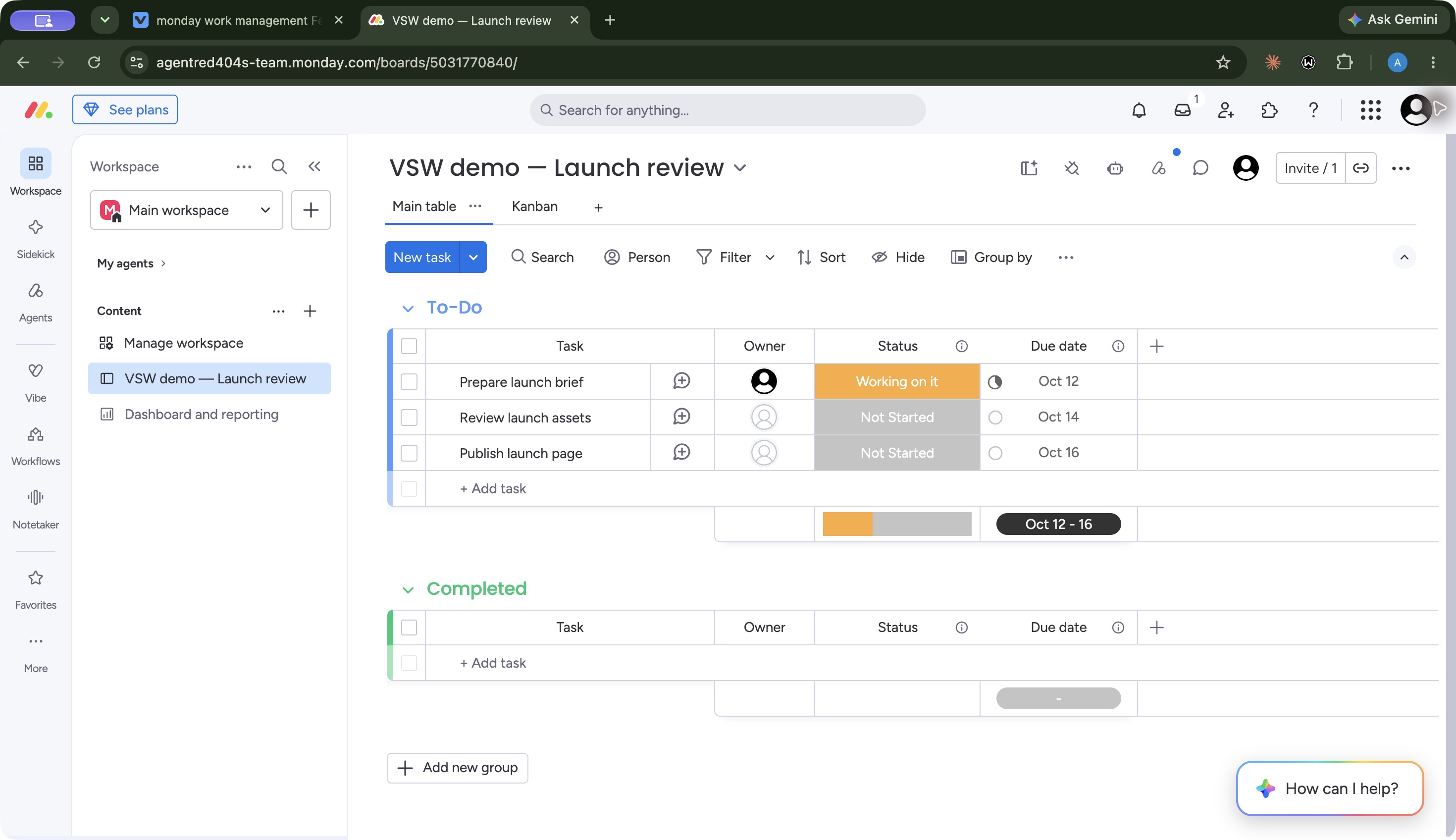
The edited values matched in the table and Kanban views. Searching for the assets task isolated that record; its updated status and date survived reload. Clearing the search restored all three tasks. That supports the everyday job we tested: update a small project, retrieve an item, and inspect the same work through another view.
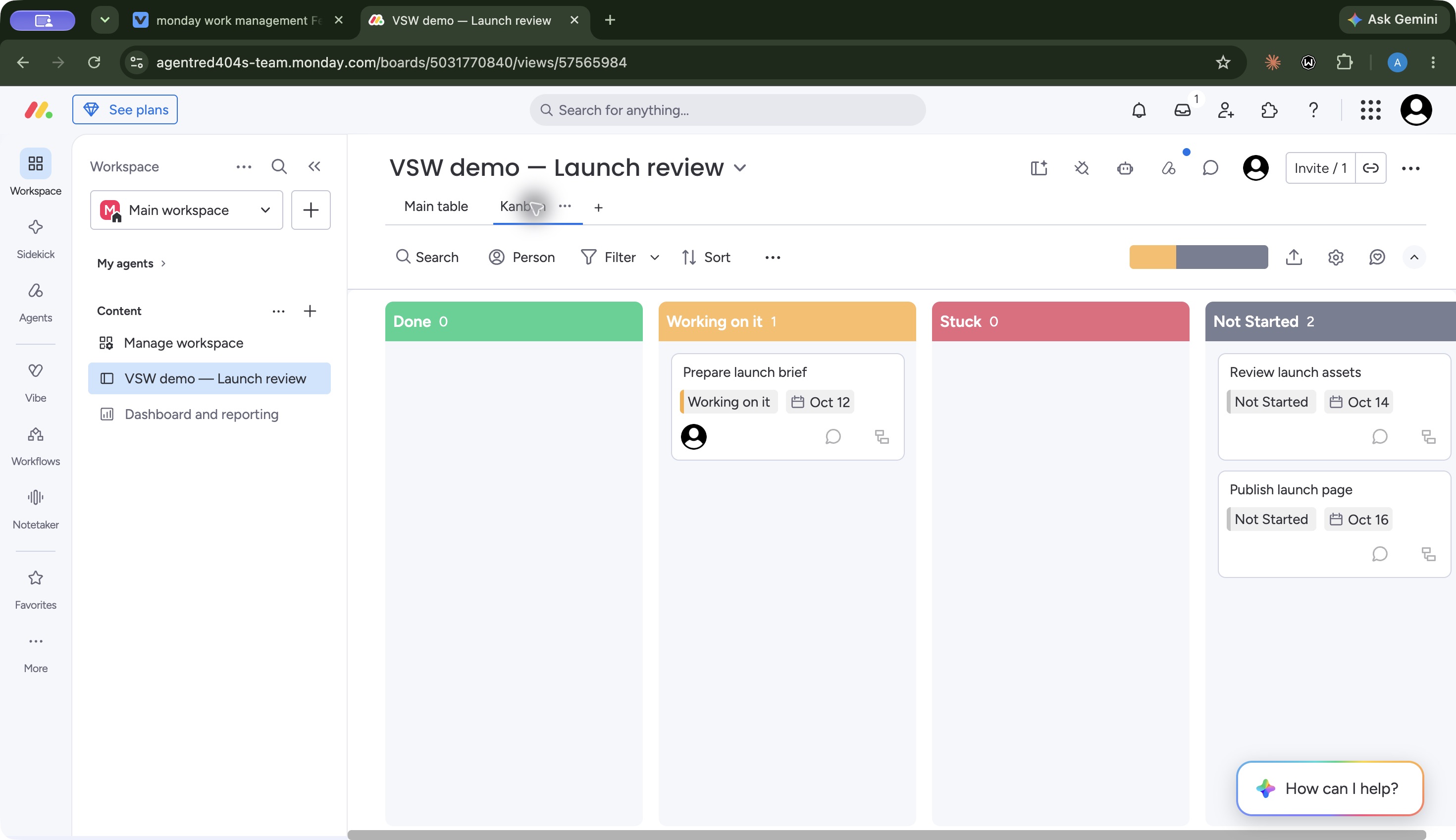
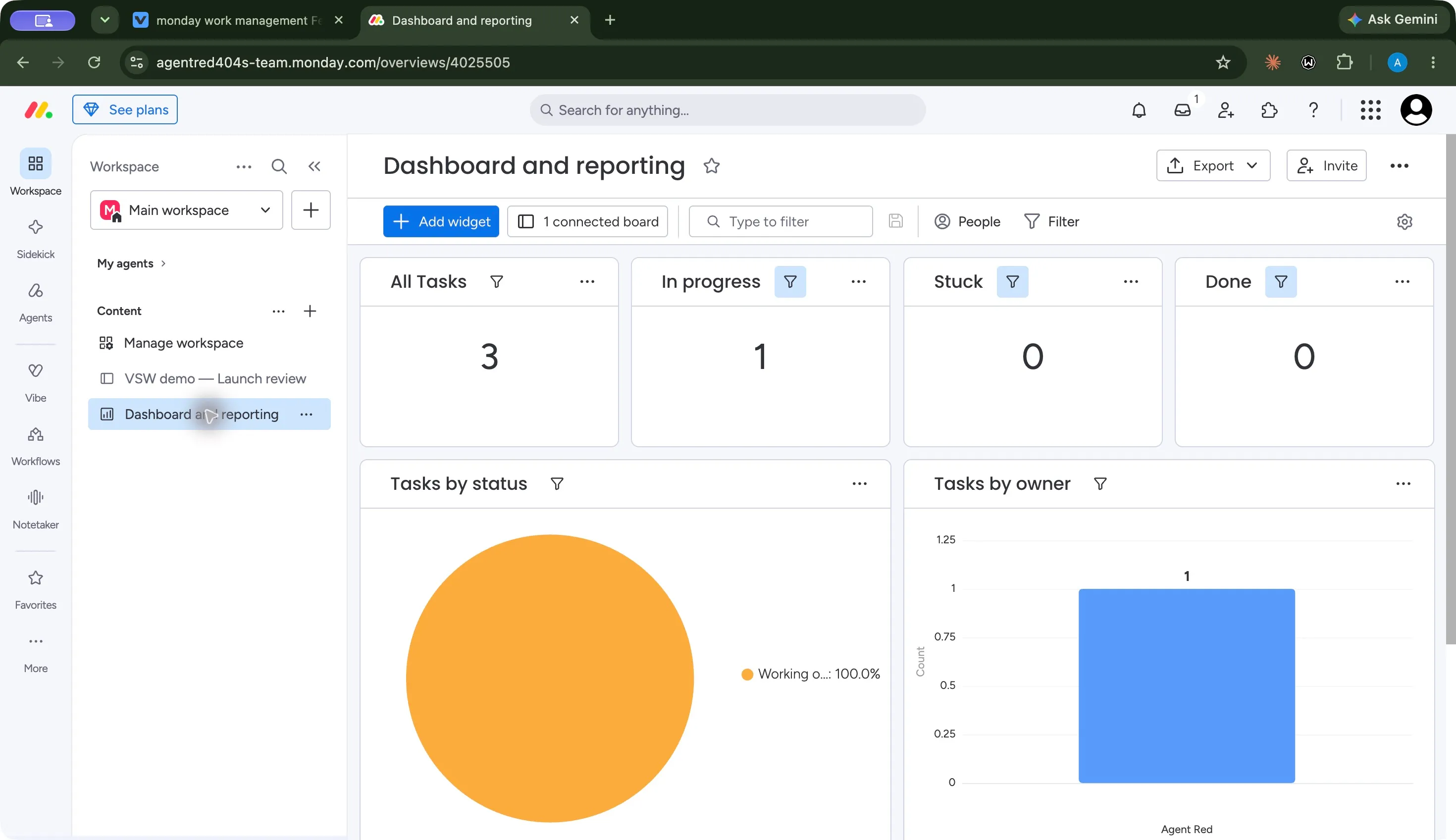
The three general screenshots show the final board, Kanban and dashboard. This is evidence from a small desktop workflow, rather than a claim about large projects or team adoption.
How does the interface feel in everyday use?
The setup flow helped establish a working board by asking about columns, views and dashboard widgets. That gave us a usable starting structure, but the supplied example values needed checking. Treat a newly generated board as a starting point and verify dates and statuses before using it for a real project.
The table made our three deadlines easy to compare side by side. Kanban emphasized the status split: one task in progress and two waiting. Card controls let us change status and dates successfully. Four status columns also used more horizontal space than the table, so view choice affects how much work you can see together.
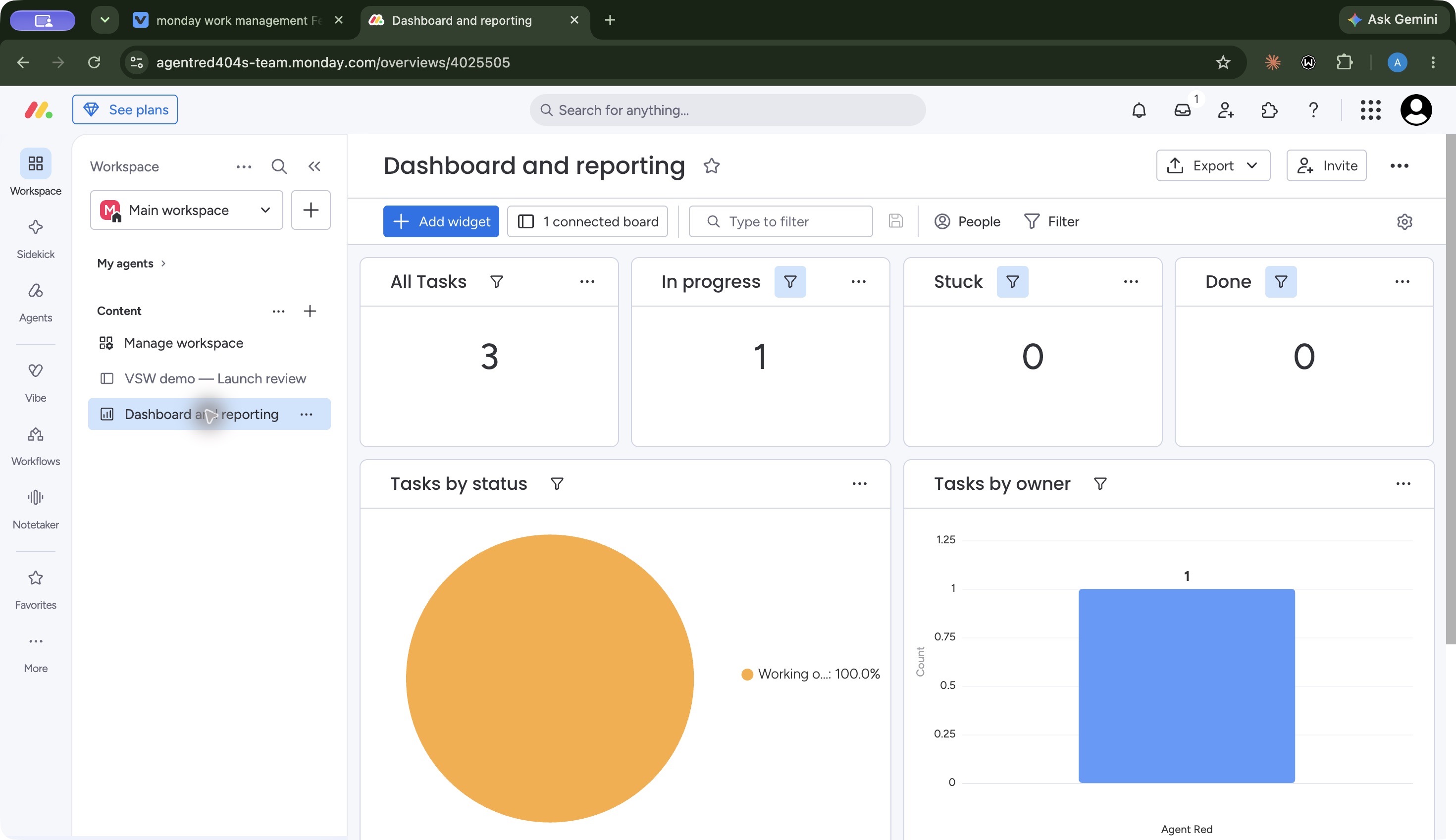
The dashboard exposed a more consequential reading issue. Its overview counted three tasks, one in progress, none stuck and none done. The adjacent status pie showed Working on it as 100%, without representing our two Not Started tasks. We did not investigate the widget configuration, so we cannot establish why it covered only that status. The practical lesson is to check each widget’s scope before treating its percentage as a picture of the whole board.
The wider navigation puts Sidekick, agents, Vibe and Notetaker beside workspace work. That makes the expanded platform visible, while adding choices beyond basic task tracking. Our usability finding is specific: the table was useful for comparing fields, Kanban for seeing status, and dashboard interpretation required care. Learning time, accessibility, mobile usability and performance at scale remain untested.
What does the wider platform include?
Boards are only part of the offering. Official documentation describes workdocs for collaborative writing, WorkForms for intake, planning views, dashboards, resource coordination, automation recipes and integrations. The compact feature groups below separate these jobs and their plan limits.
The AI tools also serve different purposes. Sidekick provides conversational help with work context. Agents can carry out configured work. Vibe builds applications from descriptions, and Notetaker handles meeting transcription and summaries. We tested a Sidekick question; we did not run agents, build an app or record a meeting. The platform navigation guide describes those broader tools, with availability subject to rollout and account entitlements.
Where does Free end and paid begin?
Free allows up to two users, three boards and three docs, with limited item capacity and columns. It excludes automations and integrations. New accounts initially receive a Pro trial, so seeing a feature during onboarding does not prove it will remain available on Free. See the Free-plan explanation.
Standard adds Timeline, Gantt and Calendar views, plus 250 automation and 250 integration actions per month. Pro raises each allowance to 25,000 and adds private boards/docs, time tracking and advanced columns. AI workflows have their own active-workflow limits, and AI usage has separate credit terms. Enterprise is a further decision for portfolio, resource and organizational controls.
Price the complete workflow you need. A feature in the sidebar, an active-workflow allowance and a monthly action quota are different signals; none alone establishes the total cost of an AI process.
What could a small team pay?
On October 7, published USD annual starting rates were $9 Basic, $12 Standard and $19 Pro per seat per month. Paid subscriptions start at three seats, then use seat buckets. The pricing explanation matters when your headcount falls between available bundles.
For a three-seat Standard subscription, the seat-only calculation is:
Cost item
Calculation
USD
Standard seats for one year
3 × $12 × 12
$432
This is an illustration using the published starting rate, not a quote. It excludes taxes, AI-credit charges and other extras. The pricing page showed AI-credit line items and promotional offsets, so confirm the actual checkout total and renewal terms rather than assuming an offer is permanent. See current pricing.
Is Sidekick useful for board questions?
Our single test produced a useful answer. We asked Sidekick to use only the demo board, list the three tasks with their current status and due date, and identify the earliest unfinished deadline. The prompt explicitly requested no record changes, automations or messages.
Sidekick returned all three correct statuses and dates, linked the source board, and selected Prepare launch brief, due October 12. That result supports a bounded use: ask a question about a defined board and compare the answer with its records. It does not establish accuracy on messy data or the quality of autonomous agents. Check Sidekick’s current usage terms before budgeting frequent AI use.
Our buying recommendation
Choose a trial when you want to evaluate configurable boards and several views of project work. Our test supports the basic save, retrieval and view workflow, and Sidekick answered one focused question accurately. Bring your own date rules and reporting needs to the evaluation, particularly when setting up dashboard widgets.
Before subscribing, identify the required tier, seat bundle and usage allowances. Free is a narrower option for one or two people; paid planning, automation and AI need a separate budget. If your priority is another style of project coordination or a flexible database, compare our Asana review, ClickUp review and Airtable review. The stronger choice is the one that supports your actual workflow within the plan you intend to keep.
monday.com — Work Management features
19 features · 7 categories
Browse all 19 features
01
Boards and daily work
3
Items, columns and groups
Pro trial tested
Organize tasks in boards with configurable fields and groups.
In our test: Three demo tasks retained their edited statuses and October 12, 14 and 16 due dates. The assets task survived reload.
Combine board data in widgets; check the scope of each chart.
In our test: The overview counted three tasks and one in progress. Its status pie displayed Working on it as 100%, without representing the two Not Started tasks; widget configuration was not investigated.
No matching features. Try another term or clear the search.
Plans & pricing
USD rates checked October 7, 2026. Annual per-seat starting rates: Basic $9, Standard $12 and Pro $19; Enterprise is quoted. Paid subscriptions start at three seats, then use seat buckets. Free supports up to two users and three boards, with no automations or integrations. AI credits and promotional offers can change the total; confirm checkout and renewal terms. Our hands-on account was a Pro Trial, not Free.
Prices in USD
Free
Limited personal or two-person work.
$0
Up to two users
Up to three boards and three docs
No automations or integrations
Not the plan tested; the initial trial exposes Pro features.
Basic
Expanded board capacity.
$9
seat / month · annual billing
Unlimited items
Unlimited free viewers
Starting seat rate; minimum three paid seats. Check AI-credit costs and offers.
Standard
More planning and connected work.
$12
seat / month · annual billing
Timeline, Gantt and Calendar
250 automation actions/month
250 integration actions/month
Starting seat rate; minimum three seats. Three active AI workflows on the AI work platform.
Pro
More advanced project workflows.
$19
seat / month · annual billing
Private boards and docs
Time tracking and advanced columns
25,000 automation and 25,000 integration actions/month
Starting seat rate; minimum three seats. Twenty active AI workflows. Hands-on testing used the Pro Trial.
Compare Airtable and monday.com on data structure, boards, planning, integrations and seat costs, with workflow evidence and a practical buying verdict.
A Free plan is available for up to two users and three boards, with limited capacity and no automations or integrations. Our account started on a Pro Trial, so our hands-on findings do not demonstrate Free-plan availability.
Paid plans start at three seats and then use seat buckets. At the published annual Standard starting rate of $12 per seat per month, three seats equal $432 per year before taxes, AI-credit charges or other extras.
In our Pro trial, Sidekick correctly listed all three fictional tasks with their saved statuses and dates, linked the board, and selected October 12 as the earliest unfinished deadline. This was one small read-only test.
No. monday starts new accounts with a Pro trial; the Free plan has narrower board, user and feature limits. Check the intended plan before building a workflow around trial features.


 View full screen
 View full screen
 View full screen