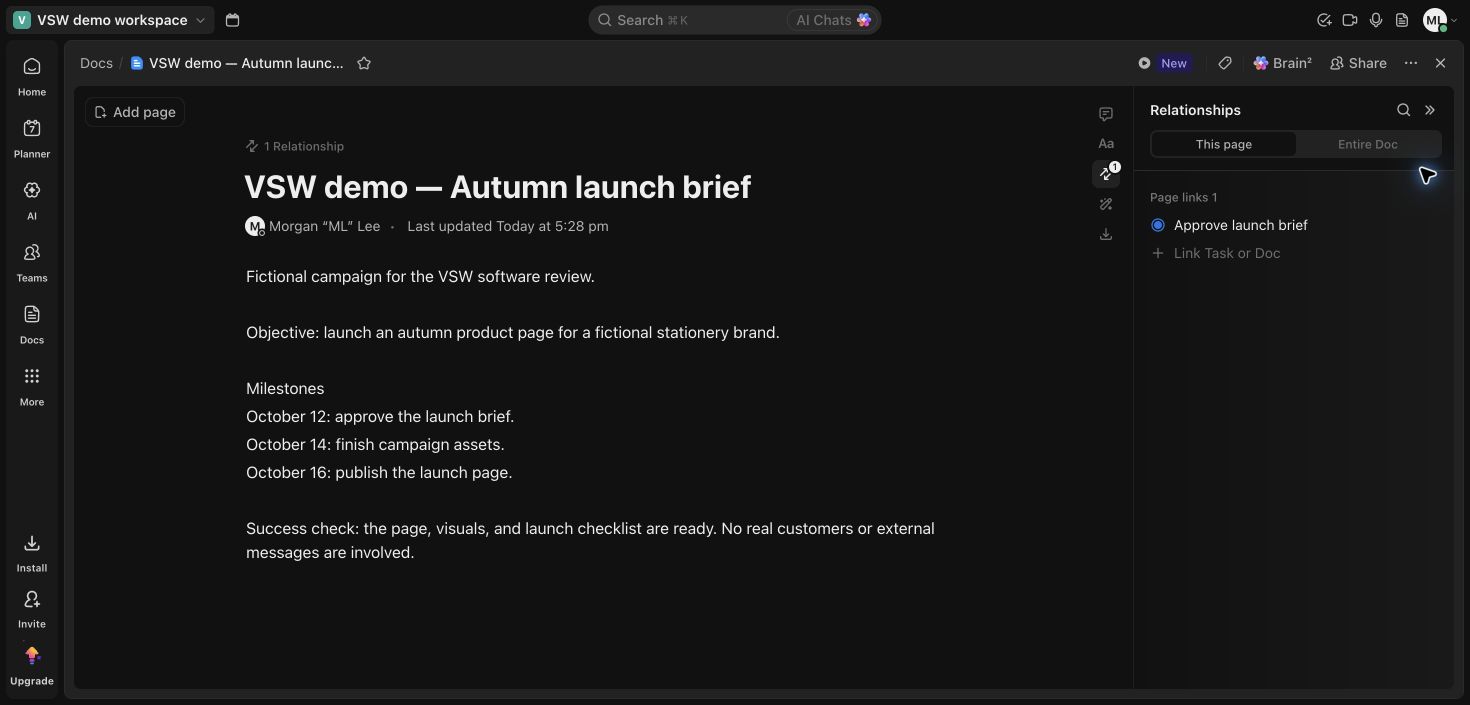
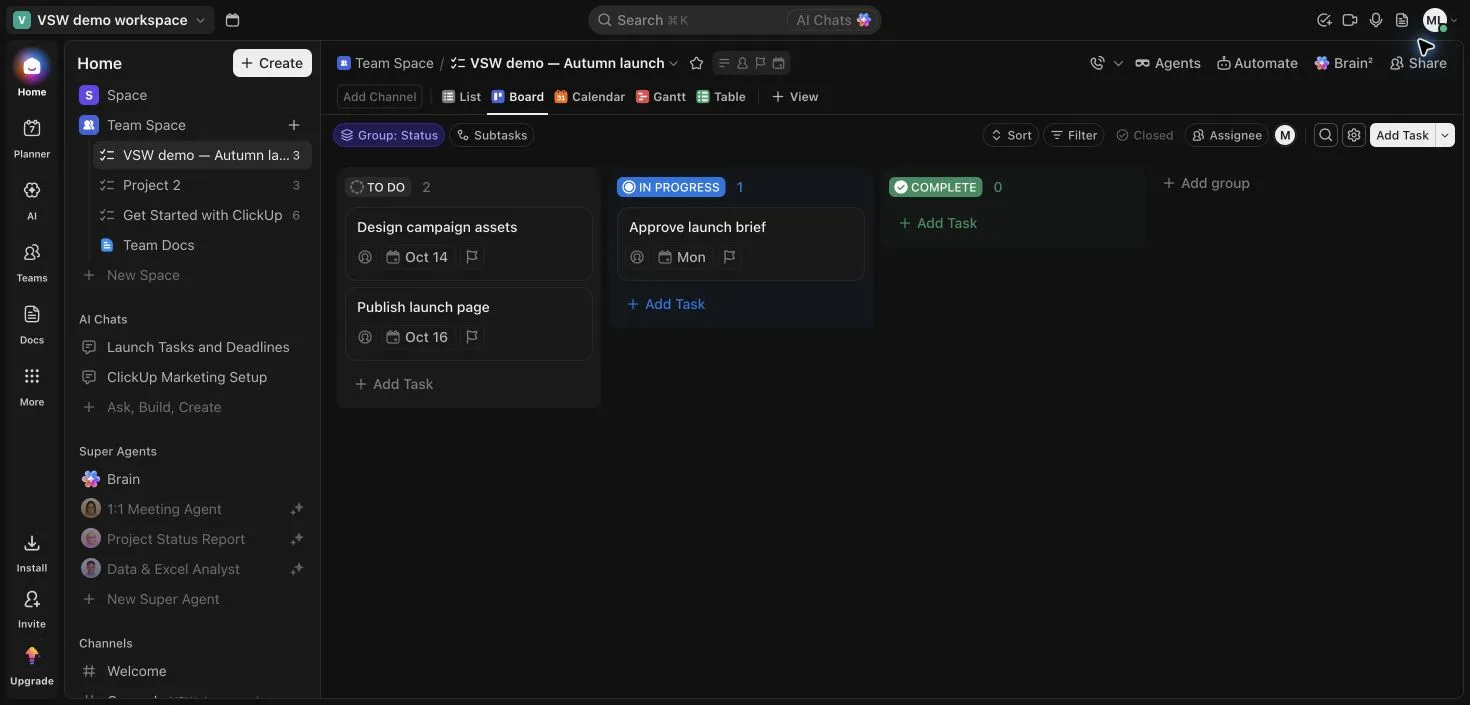
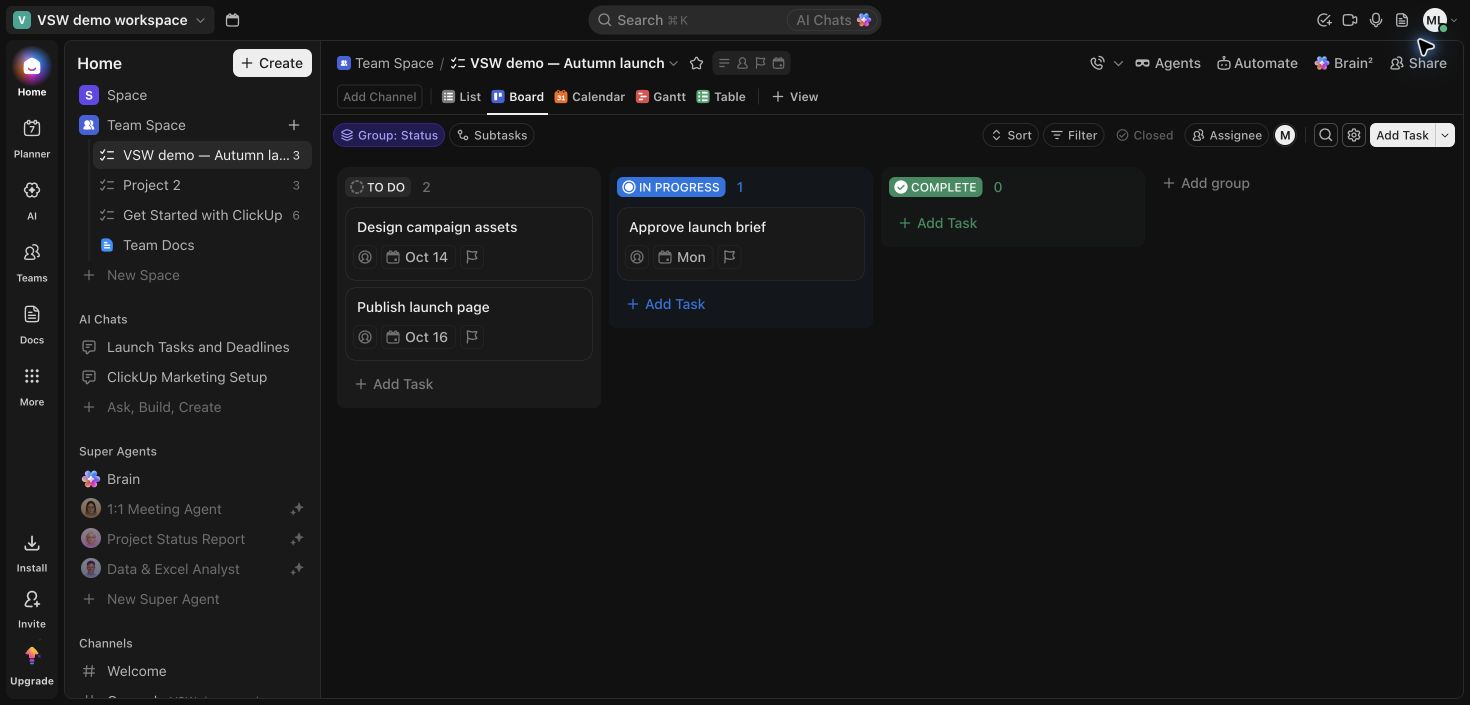
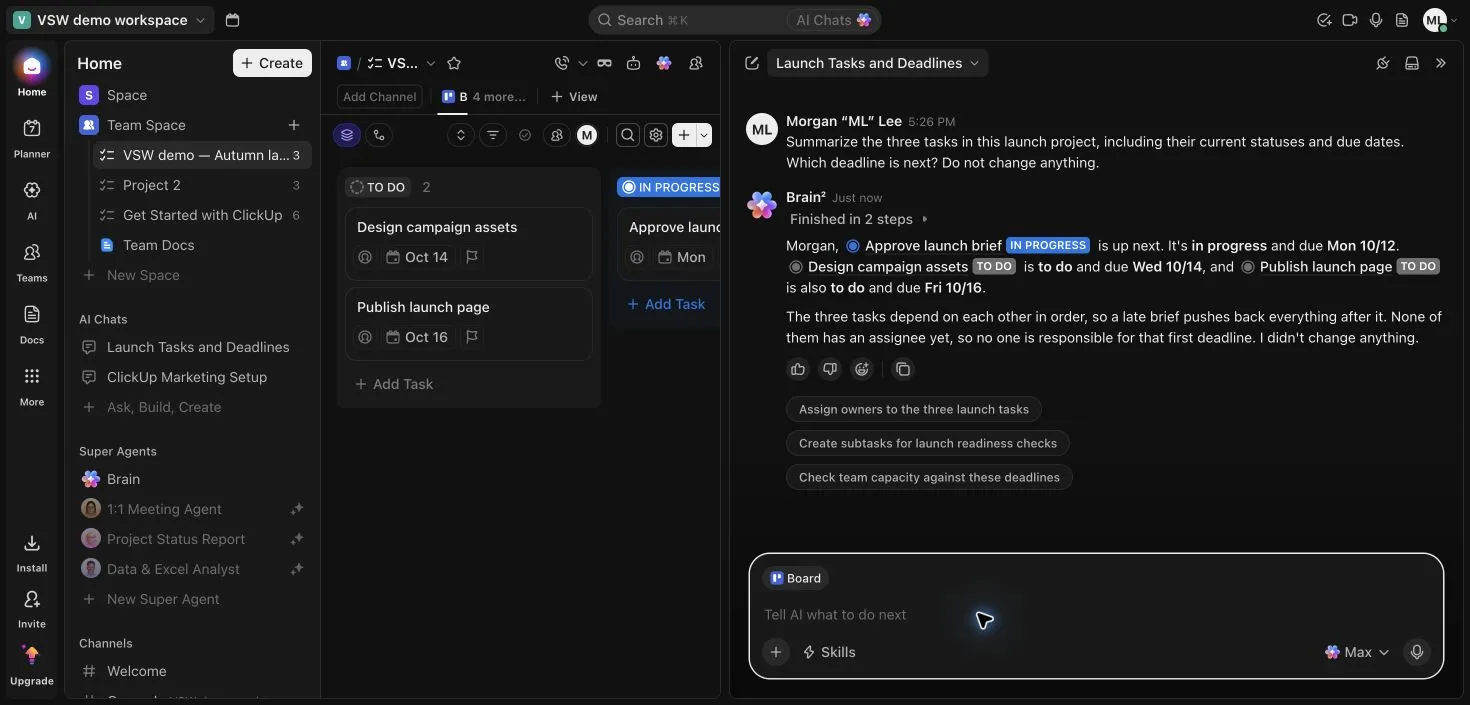
Board · Three fictional launch tasks grouped by status.
1 / 3
What is ClickUp?
ClickUp brings task management, documents, communication and AI into one workspace. It suits teams that want shared project context across several kinds of work and are willing to configure views and navigation. Our small Free Forever test connected a launch board with a brief and a Brain summary; it also showed why AI conclusions still need checking.
A strong candidate for teams that want projects, documentation and communication together. The small launch workflow worked well across tasks, a linked Doc and contextual AI. Start with a few views and check the allowances your workspace actually receives; our test does not establish agent reliability, team-scale performance or paid-tier value.
Read our hands-on reviewTested Oct 7, 2026
Assistant-led testing in Chrome on a workspace explicitly labeled Free Forever, using fictional launch work. Brain was tested through the available AI trial; no paid upgrade was purchased.
Three launch tasks adapted from onboarding examples, status and date edits, reload, List/Board consistency, task search, one linked Doc, one Brain summary and inspection of automation quotas. Three overview captures. Collaboration, autonomous agent execution, integrations, recordings, mobile ClickUp and paid plans were not tested.
Screenshots captured on Oct 7, 2026 with fictional records and demo owners.
What we found
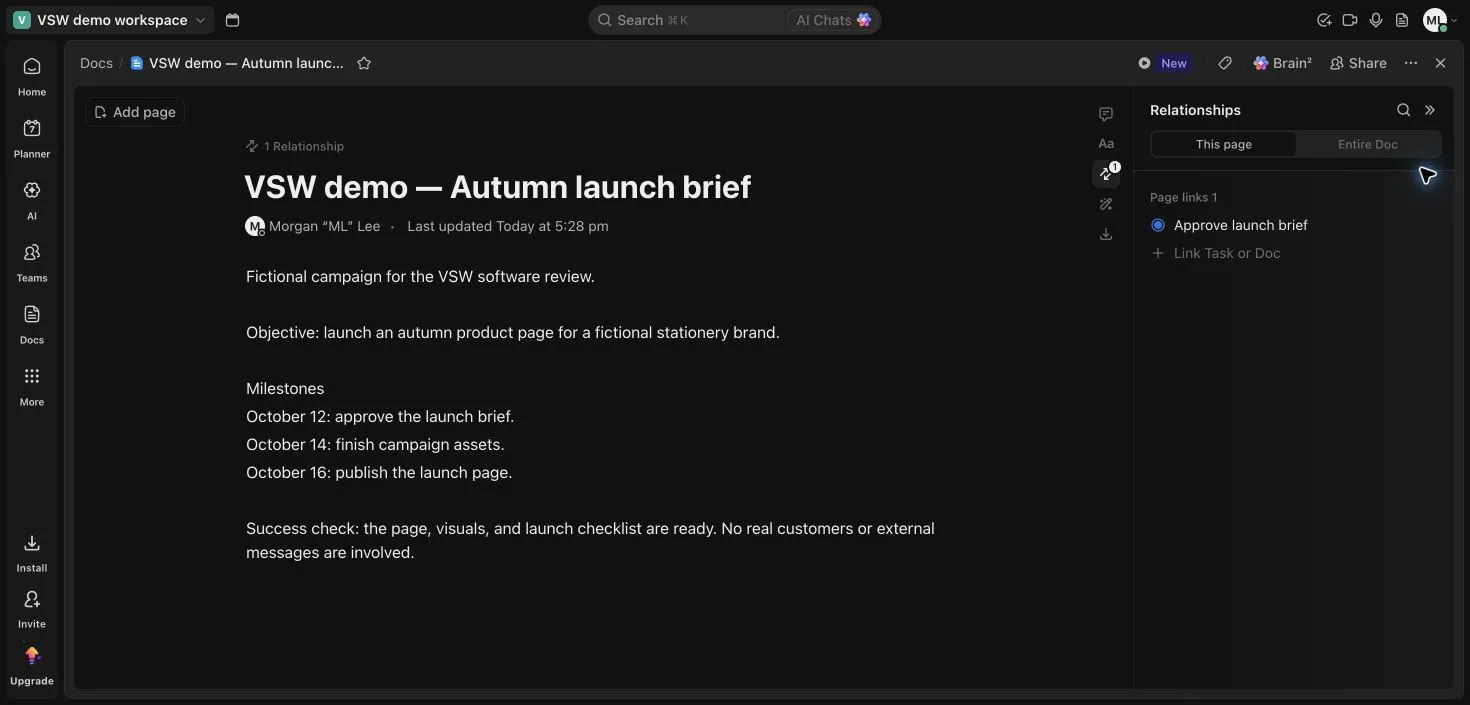
We adapted three onboarding tasks into a fictional autumn launch. Names and the status change survived a reload, Board reflected the same work, and searching for “Design” isolated the matching task. A short Doc held the milestones and linked to the brief’s approval task. These are useful connections for teams that otherwise separate planning notes from execution.
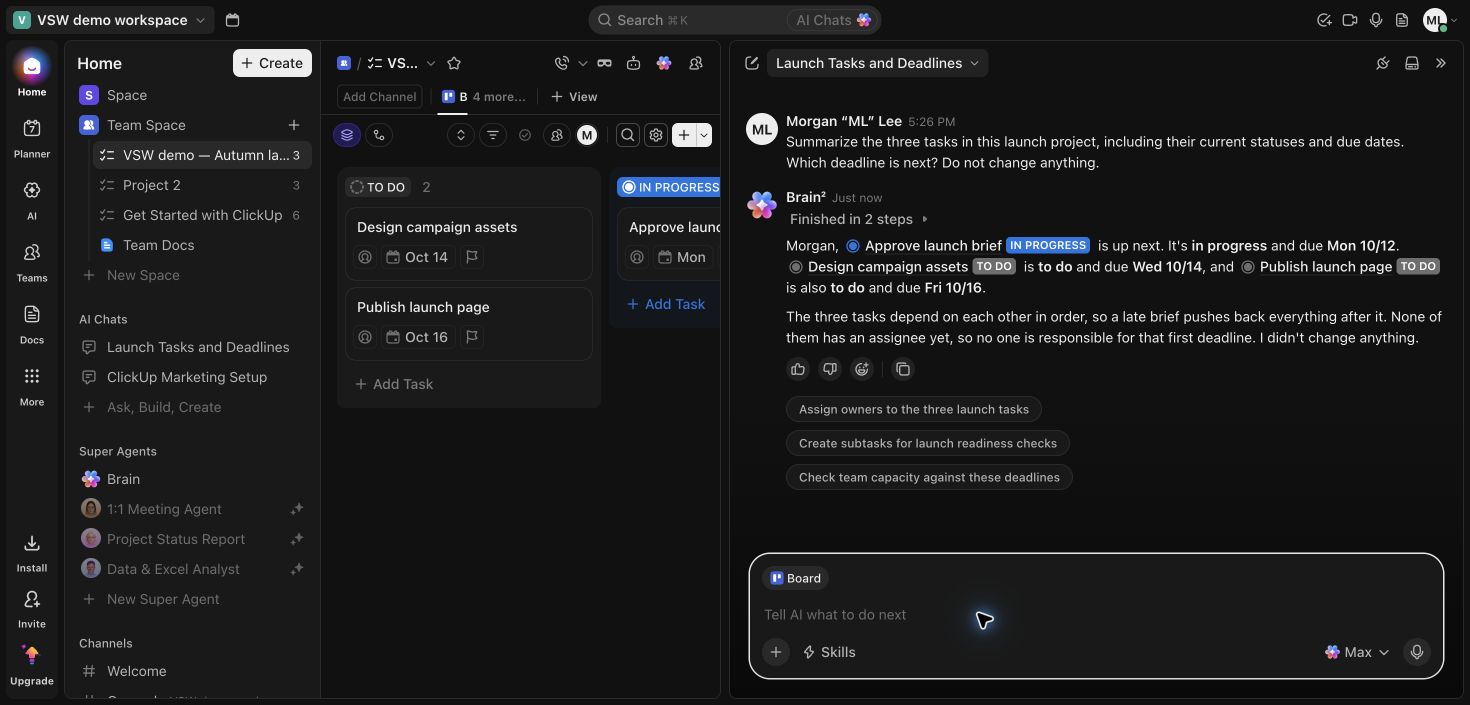
Brain correctly returned the three deadlines and statuses, with links to the tasks. It also said the tasks depended on each other in order. We had not configured that chain, and the design task’s Relationships panel showed no related items. Treat that added conclusion as an inference to verify, rather than a confirmed project constraint. This was one prompt, not a general AI accuracy benchmark.
The main tradeoff was the number of surfaces: project views, Docs, Planner, AI chats, agents and communication all appear in the same workspace. Start with the views needed for your workflow. The broader features below are supported by official sources; only the explicitly described workflow was tested.
Buying considerations
The public comparison still lists Free Forever, Unlimited, Business and Enterprise. Separately, ClickUp documents a rollout of plans with bundled AI. Confirm the actual upgrade options, AI allowance and total workspace seat cost before choosing a package. Free-plan feature uses can be cumulative trials, so seeing a control during onboarding does not mean unlimited access.
Use workspace context to ask questions and follow linked tasks from the answer.
In our test: Brain returned all three statuses and the October 12, 14 and 16 deadlines correctly. Its extra claim that the tasks depended on each other was not supported by the relationships we inspected.
No matching features. Try another term or clear the search.
Plans & pricing
Public USD prices checked October 7, 2026: Unlimited $7/user/month billed yearly ($10 monthly); Business $12 yearly ($19 monthly); Enterprise quoted. Upgrades apply to the whole workspace. AI add-ons are separate in this public comparison. ClickUp is also rolling out alternative plans with bundled AI, so account upgrade options can differ.
Prices in USD
Free Forever
Basic project and document work.
$0
user / month
Unlimited tasks and free members
60 MB attachment storage
One Form
Advanced features and AI can have trial limits.
Unlimited
Public paid tier for broader project use.
$7
user / month · billed annually
Unlimited storage and custom fields
Native time tracking
Goals and portfolio management
Annual price requires yearly billing. AI add-ons separate.
Business
Public tier for advanced reporting and workflows.
$12
user / month · billed annually
Advanced dashboard cards
5,000 automation actions/month
Private Whiteboards
Annual price requires yearly billing. AI add-ons separate.
Enterprise
Governance and organization-wide controls.
Contact sales
Custom roles
SAML SSO and SCIM
Audit log
Quoted pricing; confirm the package offered to your workspace.
Compare ClickUp and Trello on task structure, docs, boards, planning, automation and subscription costs, with clear team-fit guidance and product images.
Yes. Free Forever includes core task and document work, but storage, forms, automation and advanced feature trials have limits. Our workspace displayed 100 automation actions per month and five active rules.
Free workspaces can try selected AI features. Trial access does not establish unlimited ongoing AI use. ClickUp is rolling out plans with bundled AI alongside its published add-on model; check your workspace’s offer.
Why might my ClickUp upgrade options differ from the public pricing table?
ClickUp documents a limited rollout of new plans that bundle AI, including Core, Business Plus and Max. Existing plans are not automatically migrated. The prices on this review reflect the public comparison checked on October 7, 2026.


 View full screen
 View full screen
 View full screen